I want to focus on map making. However a lot of my previous maps have been lost without backups. So sadly I will have to try and use whatever I can to show that my passion lies with map making.
If I had a capture card for my xbox I could capture movie footage from the maps I had made on the console.
I definitely do want to specialise in map making however.
Sunday, 27 May 2012

Influence of games psychologically
I have been looking into studies that examine the effect that games have on gamers psychologically. I am doing this to see whether games have can influence or change an individual. I have found some interesting studies linking violent action games with an increased mental ability for concentration, multi-tasking and decision making.
http://healthland.time.com/2011/12/02/how-playing-violent-video-games-may-change-the-brain/
http://healthland.time.com/2011/12/02/how-playing-violent-video-games-may-change-the-brain/
Map making pt 8.
My map is close to finished. I have added doors which I have scripted to open and close when the player "uses" them. I have added a skybox and a smaller skybox of trees to give some sense of enclosure to the cul-de-sac.
 The two large yellow blocks in the distance are detail objects to give a sense of scale to the map, one is a water tower, and the other is a large tree.
Note you can see the props inside the house through the window.

Note you can see the props inside the house through the window.
Map Making pt 7.
I have started to furnish the houses. Adding physics props to the inside to give them a lived-in feel.
 Im trying to add small details to make it seem this is the house of a single occupant who isnt used to visitors, the tv is facing towards a small single chair as opposed to the double-seated sofa.

Map Making pt 6.
I have been unable to create custom textures and get them into the game editor. So for now I am going to use in-game textures to create my buildings. I have started adding more props to the level now, fleshing it out to make it more realistic.

The pink and yellow blocks are the various props. Mostly they are just hedges and fences. The squat pink blocks infront of the bungalow are a car and junk.
The pink blocks signify physics props, these can be manipulated by the player in game. The yellow are static props, unaffected by the physics engine. In the end alot of the pink blocks had to be turned yellow due to unpredictable ways the props would react to the physics engine.

The pink and yellow blocks are the various props. Mostly they are just hedges and fences. The squat pink blocks infront of the bungalow are a car and junk.
The pink blocks signify physics props, these can be manipulated by the player in game. The yellow are static props, unaffected by the physics engine. In the end alot of the pink blocks had to be turned yellow due to unpredictable ways the props would react to the physics engine.
Map making pt.5
The final 2 houses are completed giving me a total of 5 enter-able buildings on my cul-de-sac.
I have been experimenting with adding custom textures, following tutorials online, however I have not been successful in getting them to appear in the editor.
 The house on the left has a garage, the pink block is actually a car prop that has been added.
I have been experimenting with adding custom textures, following tutorials online, however I have not been successful in getting them to appear in the editor.

Map making pt 4
The second building is now basically done and i've moved to the 3rd. This third house is somewhat modelled on my own.
 Again I'm using different textures to differentiate the buildings. Inside the nearest building you can see some stairs I had just finished building.

map making pt 3
Progress has now started on the second building having finished adding doorways and windows to the first building
 I've used some default textures to make the houses stand out from one another and to differentiate the rooms within. The blue spots on the ground above the green player spawn are some weapon spawns, to see if i could get the glass in the windows to react like real glass. It did

Map making part 2
I have started to create my map in the Hammer editor. I am learning the UI of the program and starting to block out the first building.
 Here you can see i've created a ground space, added roads and paths, and started the first building. The green object is the player spawn point.

Map making
Before I start my map in Hammer Editor I am going to block it out using Google Sketchup.
Using this program I will make a rudimentary form of the map that I am aiming to make. Giving me a starting point that I can come back to.
 The first concept is above. It is sparse but it puts across the basic layout of my map cleanly.
 The second concept. Here I have added some additional detail such as vehicles and trees as well as looking at the map from a new angle.
Using this program I will make a rudimentary form of the map that I am aiming to make. Giving me a starting point that I can come back to.


Sunday, 11 March 2012
Animation
Originally the plan was to include 15-20 second 3d animations of spaceship combat and of other dramatic moments rendered in maya. However due to technical problems, all of my renders became unusable. In order to fix the problem, I learnt how to make animated .gif files in GIMP imaging software. This way I could have short animated frames in my interactive narrative piece. This also allowed me to include incidental animation that would of been tricky or time consuming to do in Maya. For example creating a 2-frame animation of lights twinkling on a spaceship.
It also meant I could include frames of text in the animation and special effects by just manipulating the frames of the gif itself and not having to spend time I didn't have learning Aftereffects.
It also meant I could include frames of text in the animation and special effects by just manipulating the frames of the gif itself and not having to spend time I didn't have learning Aftereffects.
Spaceships
The original design for the hero's ship was going to be based off of the image of an eagle swooping down about to snatch up prey. With backswung wings, weapon pods designed to look like outstretched talons and a birdlike cockpit at the front.
However a couple of problems. 1. It wasn't in keeping with the Flash Gordon, 1930s era space swashbuckler that I was designing. and 2. Due to a PC crash and an unforunate mistiming of backups I lost my work on the 3D model.
Work resumed with a new design. Based on classic 1930s rocket ship designs.
 The hero's ship was designed to look long and sleek with flat wide wings and a dashing red colour.

The bad guy ships, were designed to be squatter, shorter and more rounded. The colour scheme was meant to contrast against the heroic red of the good guy's ship. With a design somewhat reminiscent of sharks, with the dorsal fin, protruding.

However a couple of problems. 1. It wasn't in keeping with the Flash Gordon, 1930s era space swashbuckler that I was designing. and 2. Due to a PC crash and an unforunate mistiming of backups I lost my work on the 3D model.
Work resumed with a new design. Based on classic 1930s rocket ship designs.


The bad guy ships, were designed to be squatter, shorter and more rounded. The colour scheme was meant to contrast against the heroic red of the good guy's ship. With a design somewhat reminiscent of sharks, with the dorsal fin, protruding.


Enviroment mapping
to create the backgrounds in my interactive narrative I learnt how to use the Source Development Kit. The software development kit for Source games such as half life 2, Portal, Team Fortress 2 etc. Using the Hammer editor I created several locations for use in my Interactive Narrative piece.


Narrative Structure
My plan was to have a narrative that split into choices at key "dramatic cliffhanger" moments. The player then chose a method by which the main character solved the dramatic problem. The original plan was to be a early set up leading to a dramatic cliffhanger moment that would split the story down two seperate paths. Each one culminating in a cliffhanger choice. leading up to 4 seperate conclusions.
The original basic story structure was thus
Introduction to the main character and a dramatic conflict. His girlfriend being kidnapped by his arch nemesis. This was to lead to a space battle as the hero raced after his nemesis. The battle would culminate in a cliffhanger choice of fight or flee. If you continued to fight, the player would be joined by his girlfriend's father's pilots. And the story would continue in space as they lead an attack on the bad guy's mothership. Ending in a cliffhanger of whether the hero would teleport onto the ship to rescue his girlfriend and let the bad guy away, or continue to fight and having the mothership blow up potentially losing his girlfriend but finally defeating his nemesis.
The other plot line would have the hero getting shot down and captured by the villain's men. The hero would be taken to the mothership as a prisoner, about to lose his life. This is the next cliffhanger moment. The player could then choose to make use of a hidden laser gun to fight their way out to rescue the princess, or to use a teleportation device to escape his situation, to rescue the girlfriend again later. So 3 choices and 4 endings.
 However due to time constraints the first plot thread in space ended early. Instead of there being a choice of blowing up the mothership or teleporting aboard. The plot continued to the mothership exploding with the villain escaping with the hero's girlfriend on an escape pod, and ending with the good guys chasing the escape pod to rescue the hero's girlfriend. So now the narrative features 2 choices with 3 endings.
The original basic story structure was thus
Introduction to the main character and a dramatic conflict. His girlfriend being kidnapped by his arch nemesis. This was to lead to a space battle as the hero raced after his nemesis. The battle would culminate in a cliffhanger choice of fight or flee. If you continued to fight, the player would be joined by his girlfriend's father's pilots. And the story would continue in space as they lead an attack on the bad guy's mothership. Ending in a cliffhanger of whether the hero would teleport onto the ship to rescue his girlfriend and let the bad guy away, or continue to fight and having the mothership blow up potentially losing his girlfriend but finally defeating his nemesis.
The other plot line would have the hero getting shot down and captured by the villain's men. The hero would be taken to the mothership as a prisoner, about to lose his life. This is the next cliffhanger moment. The player could then choose to make use of a hidden laser gun to fight their way out to rescue the princess, or to use a teleportation device to escape his situation, to rescue the girlfriend again later. So 3 choices and 4 endings.

Interactive narrative concept
For my interactive Narrative I started looking at Space Pulp and Space Opera serials from the early part of the 20th century. I wanted to use the old trope common in those serials of a "Cliffhanger ending" as a method to offer a choice to the player. How would the hero get out of this jam? and the player gets to choose and see which improbable method the hero employs to escape his predicament.
I wanted to create a send up of the genre of those 30s-era Space Operas so I started looking for influences in Flash Gordon and Buck Rogers for influences on the characters and graphical direction of my interactive narrative.


I wanted to create a send up of the genre of those 30s-era Space Operas so I started looking for influences in Flash Gordon and Buck Rogers for influences on the characters and graphical direction of my interactive narrative.


Sony Research

Sony as a company has existed since 1955. It specialised in transistor radios and has been an electronics development and production company since its beginnings. It moved into the console gaming world in 1986 with a deal with Nintendo to produce a CD Drive for the SNES. The deal fell through in 1991 and Sony went on to develop its own Console to compete against Nintendo and Sega. They came out with the Playstation (PSONE, PSX) in 1994. The name was a reworking of Play Station, the name they had for the CD Drive add-on for the SNES. Since then Sony has continued to do incredibly well in the Console market. With the Playstation 2 becoming the worlds best selling console in 2011 with 150 Million units sold.
Sony didnt just focus on the console market however. They have also worked hard on the software to go with their consoles. Often developing and publishing many titles for their Playstation consoles.
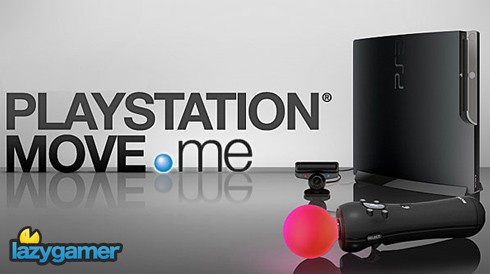
With the Playstation 3 Sony introduced motion gaming to their line of consoles. With the Sixaxis controller having motion sensors in it giving the player more control over their games. 4 Years after the release of the Playstation 3 in 2006, Sony released a new controller for it. The Playstation Move. A controller very similar to the Nintendo Wii controller. It was a motion controller wand which had a periphery "nunchuck" style controller. The Playstation Move controller wasn't relegated to specially made games for it either.Many games released compatability patches that allowed the Move controller to be used on games released before the controller itself.

Hands On Experience: Playstation Move.me
Subscribe to:
Posts (Atom)